On the App Store · Android coming soon

Read in the language you're learning.

Bookmuse is a calm reader for your own books. Translate any word in its sentence and save it to learn, listen with free voices on your phone, share books with friends, and bring your library to AI.

Download on theApp Store Coming soon toGoogle Play

Free · iPhone and iPad · Account optional

Read and translateEvery word in its sentence, saved to learn
Listen for freeNatural voices that run on your phone
Share with friendsBooks by link, and a feed for readers
Ready for AIAsk the book, or connect Claude and ChatGPT
Features

Everything a reader needs. Nothing between you and the page.

Read and translate

Every word, right where you meet it.

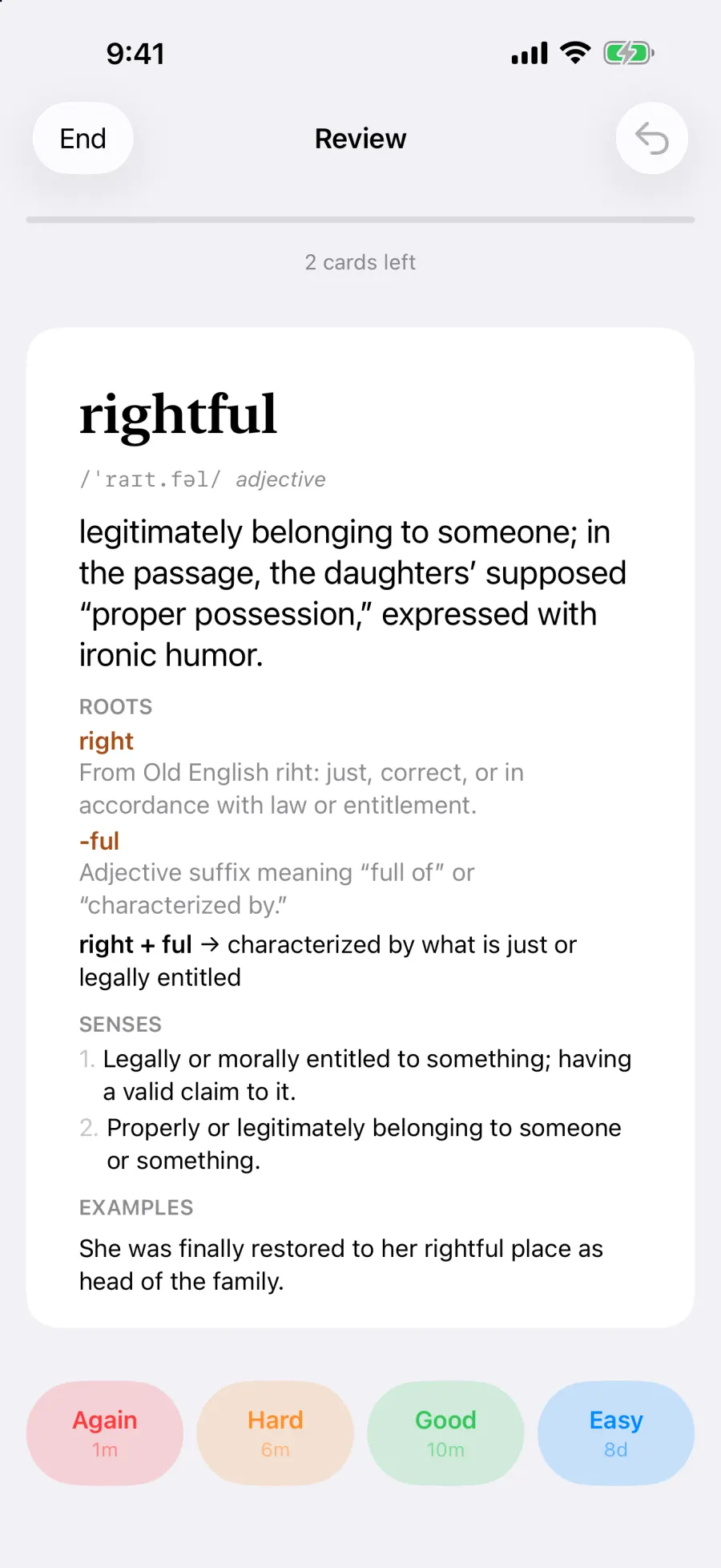
Hold a word and tap Translate: a card slides up with the meaning it has in that sentence. One tap saves it, and flashcards bring it back right before you'd forget it.

  • Pronunciation, meanings, word roots and a follow-up question
  • Saved words are marked wherever they appear in the book, so you meet them again
  • Spaced repetition (FSRS), with fill-in sentences from your own books
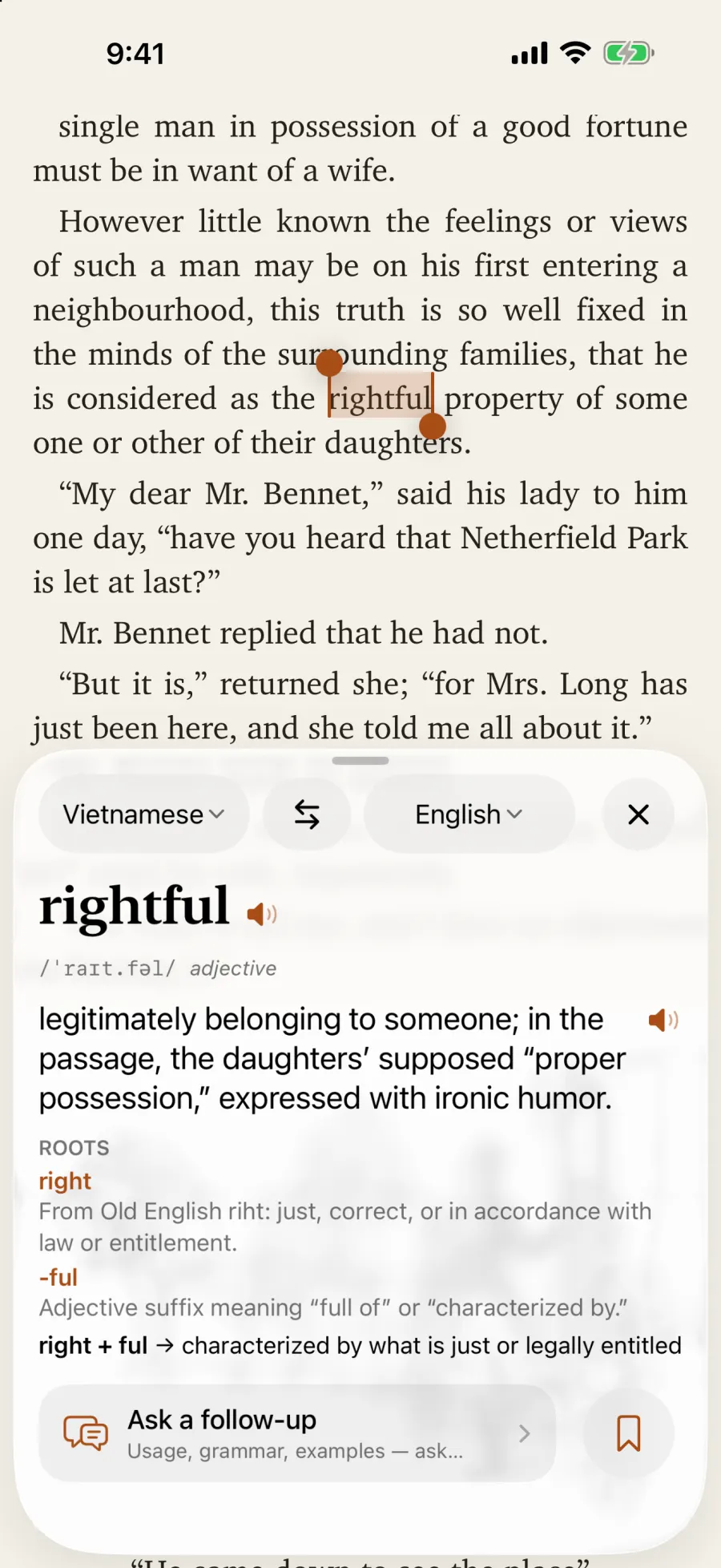
A word card for “rightful” over a page of Pride and Prejudice, with its meaning in the sentence and its roots
A review flashcard with Again, Hard, Good and Easy buttons
Listen

Hear any book read aloud, free.

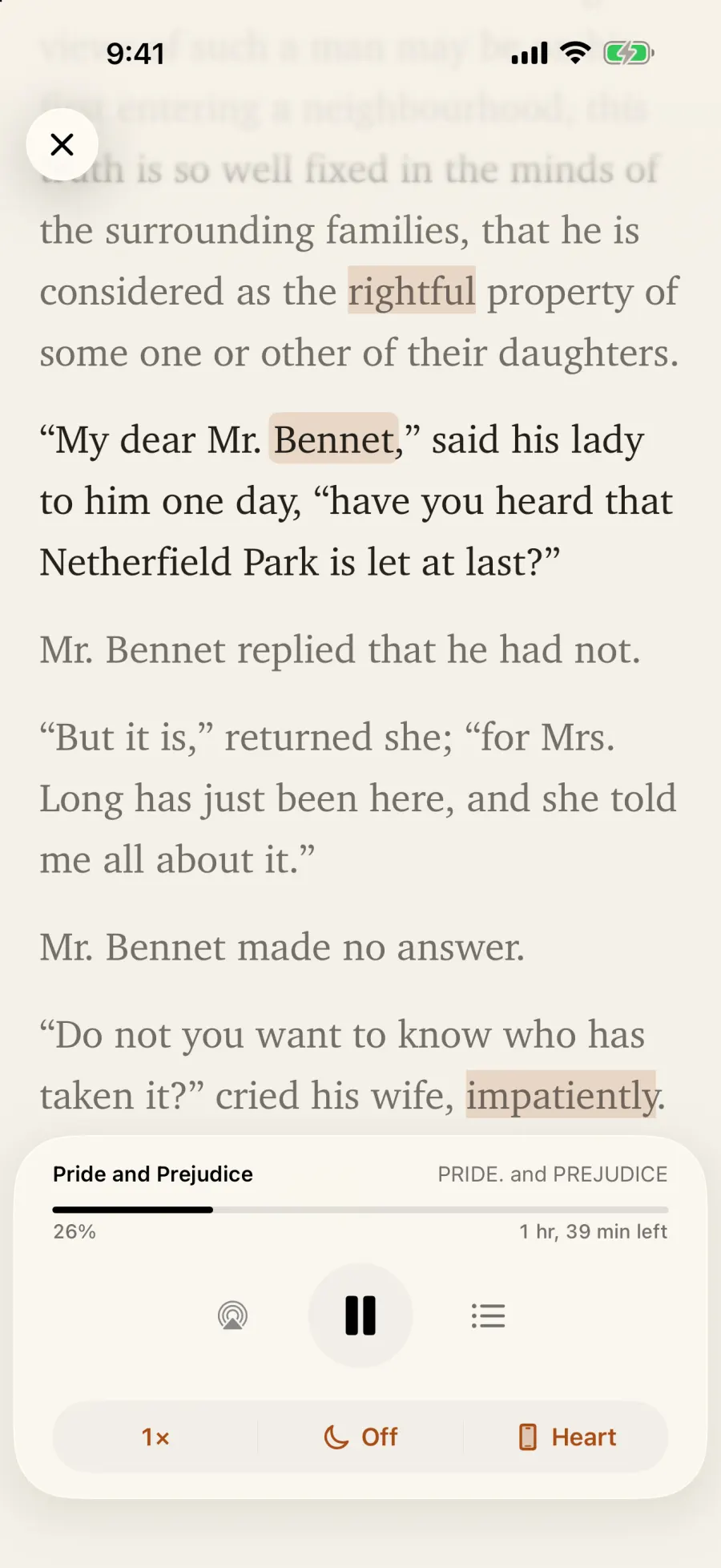
Bookmuse Voices are natural voices that run on your phone: free, private, and no account needed. The text follows along as you listen.

  • On-device Bookmuse Voices for English, French, German, Spanish, Portuguese and Vietnamese, and every Apple voice, including your own Personal Voice
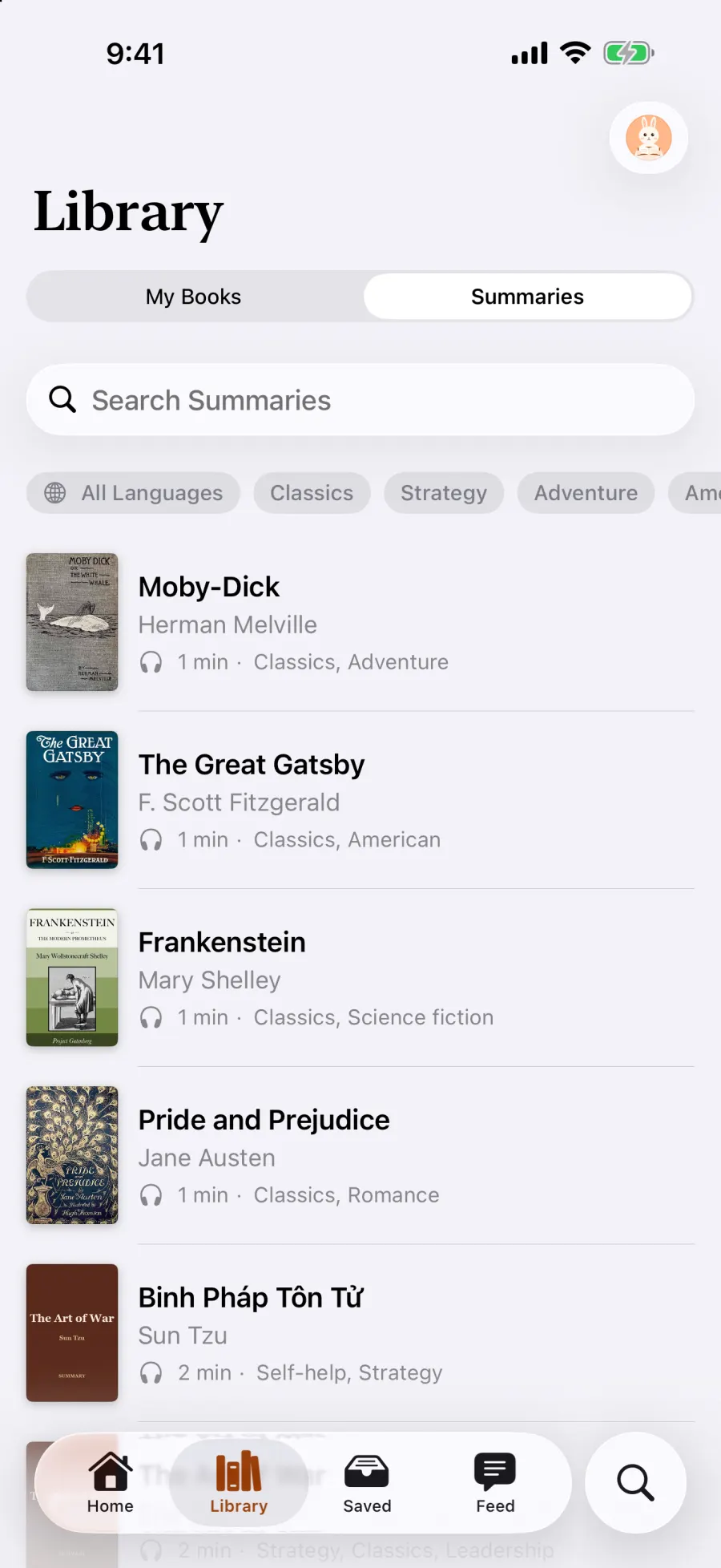
  • Book summaries read aloud by the same voices, with the text following along
The Listen player reading Pride and Prejudice aloud, with the spoken sentence highlighted
The Summaries list with covers, listening times and topics
Share

Reading is better with friends.

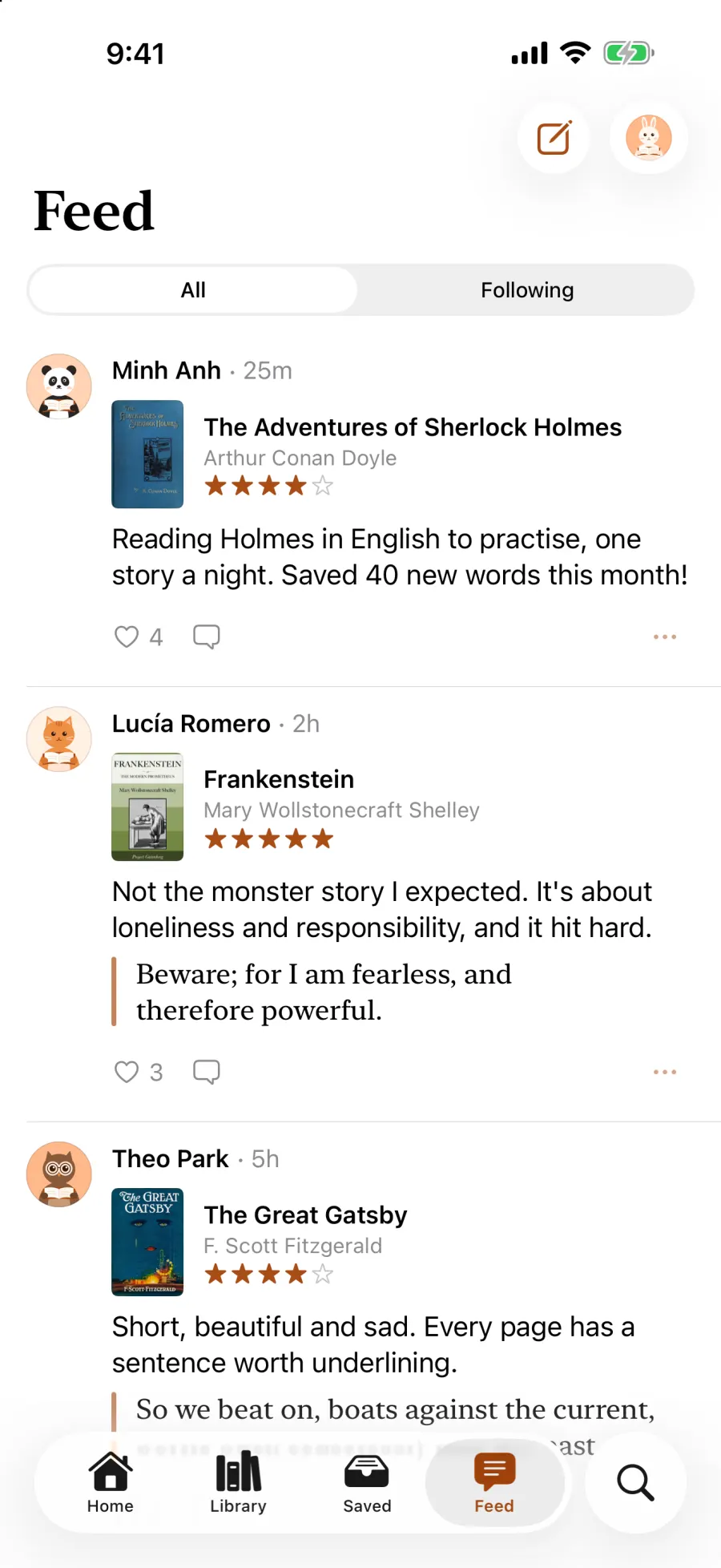
Send a book by link and a friend gets their own copy. Post about what you're reading, with a rating or a favourite quote, and follow the readers you like.

  • Share links work for 7 days, in the app or on the web
  • The Feed: all posts, or only the people you follow
  • Quote cards with a QR code, and community rules, report and block to keep it kind
The Feed with posts about books, ratings, quotes and likes
Ready for AI

Ask the book. Let AI tidy your library.

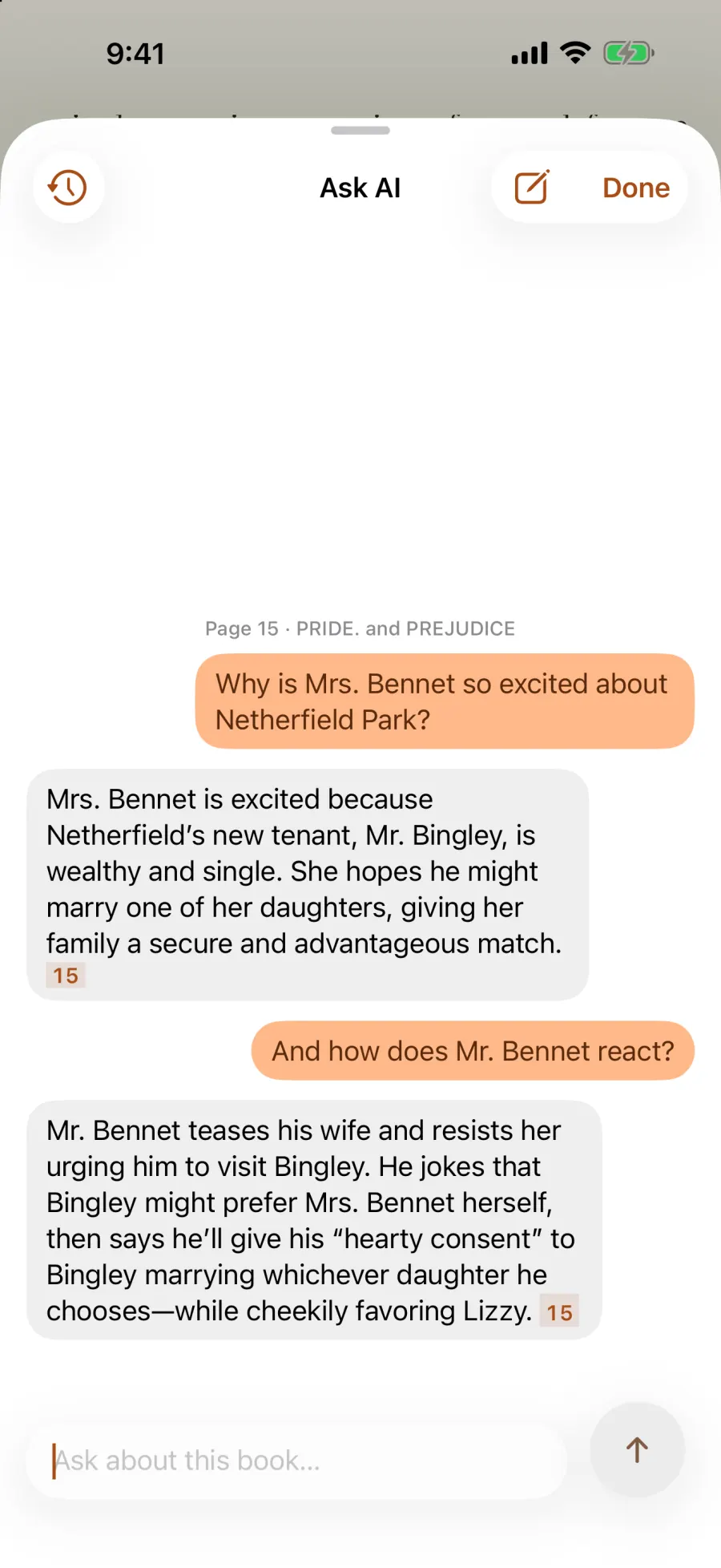
Lost the thread? Ask about the passage you're on, or the book so far, and get answers that point to the page. Connect Claude or ChatGPT, and they can work with your library too.

  • Ask AI answers from the book's own text, in conversations that follow you to every device
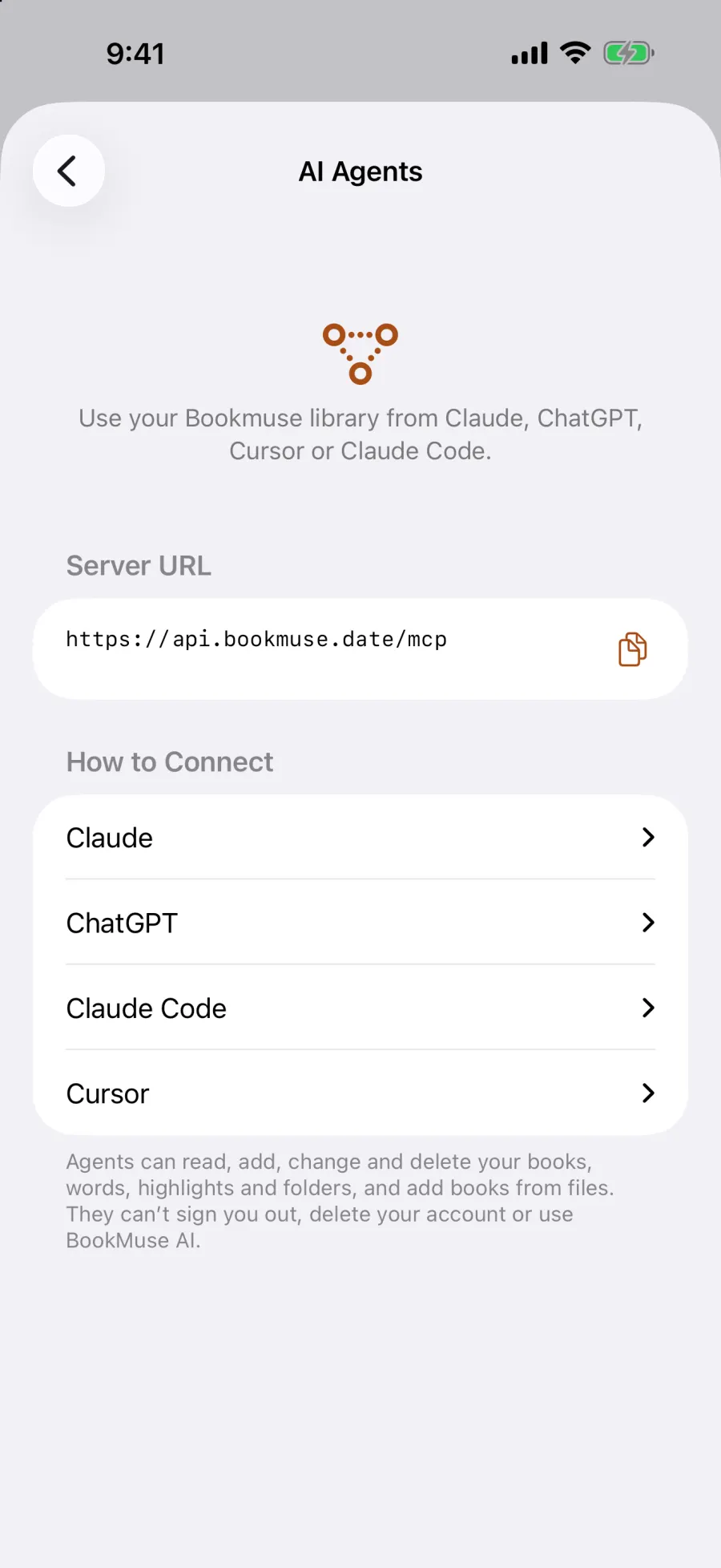
  • AI agents over MCP (Claude, ChatGPT, Cursor, Claude Code): search highlights, add words, organise folders, add books
  • BookMuse AI is built in when you sign in: nothing to set up, no key needed
Ask AI explaining a passage of Pride and Prejudice, with page references
The AI Agents guide with the Bookmuse server address and steps for Claude and ChatGPT
Everywhere

Your library, on every screen.

Sign in with Apple, Google or email and your books, words, highlights and progress stay in sync. Or don't sign in: everything still works on this device.

  • iPhone
  • iPad
  • Android · soon
  • Web
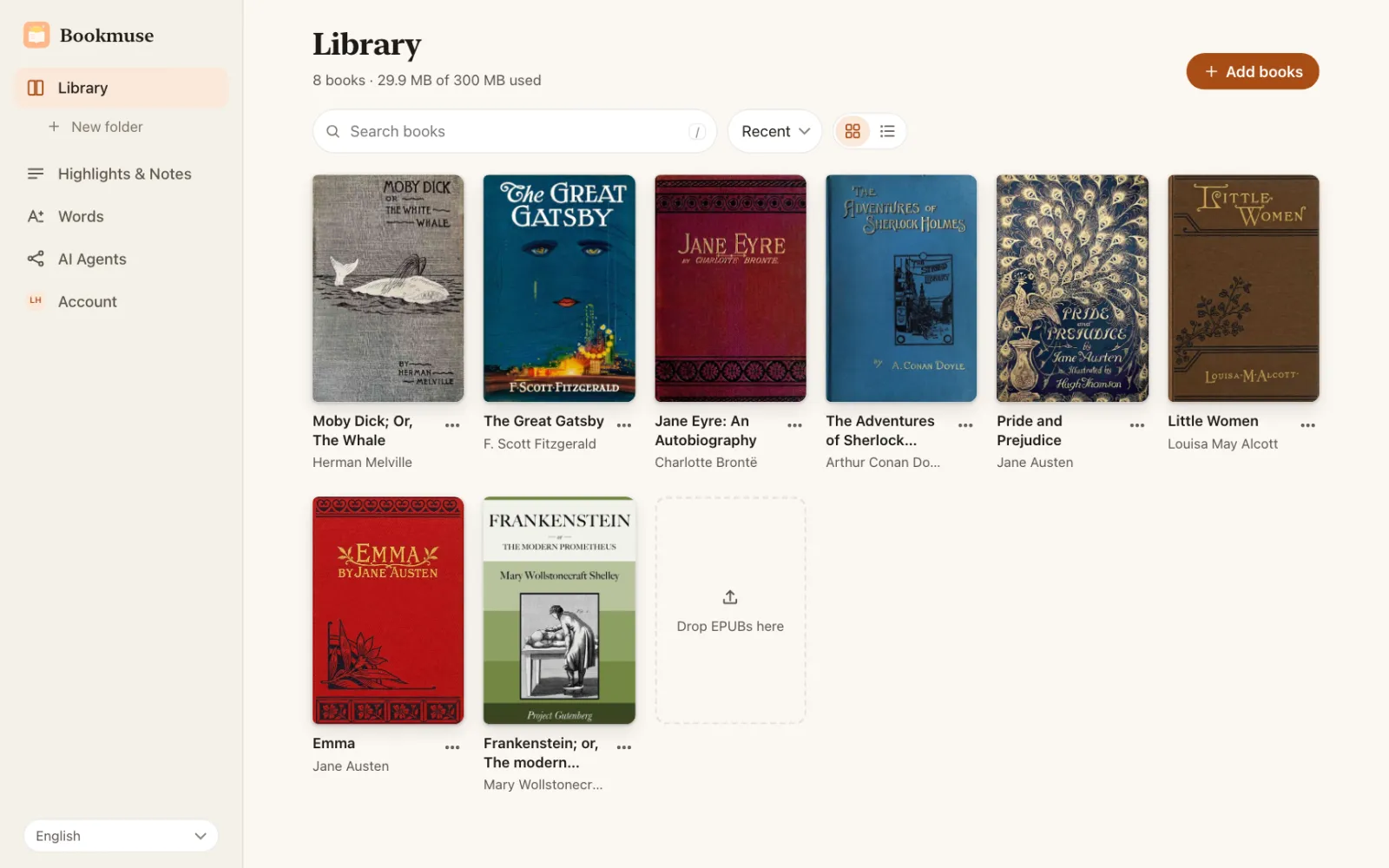
  • Manage your library, highlights and words from a computer at bookmuse-app.wanngo.com
  • Your book files are kept in your account and open on every device
The Bookmuse web dashboard showing a library of book covers
And more

Made to feel at home.

Books from anywhere

Import EPUB, Kindle (MOBI, AZW3), FB2, TXT or Markdown books from Files, Google Drive or Dropbox, browse free classics from Project Gutenberg, or connect your own Calibre or OPDS server.

Your default Translate app

Select text in any app on iPhone or iPad, tap Translate, and Bookmuse answers in place. Save the word in one tap.

Reading goals and stats

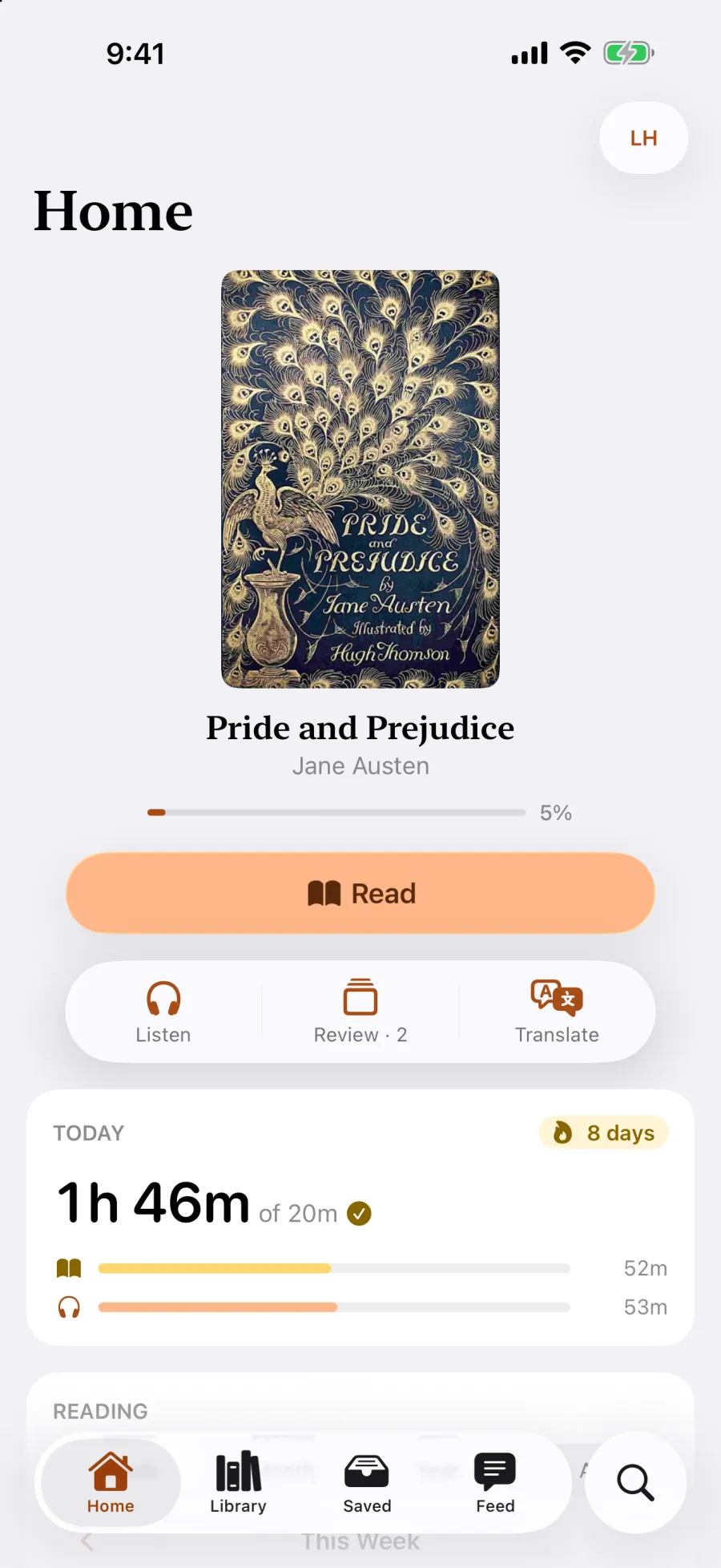
A daily goal, streaks, and your time spent reading and listening, by week, month and year, right on Home.

Make it yours

Six themes with light and dark looks, fourteen fonts, and Scroll or Paged. Each book keeps its own theme and text size.

Highlights, notes and word lists

Highlight in five colours and add notes. Export notes as PDF or Markdown, and import or export your words as CSV.

Widgets, Siri and Shortcuts

Continue reading from your Home Screen, see the words due for review, or say “Continue reading in Bookmuse.”

Privacy

Your books. Your words. Nobody else's.

No ads, no tracking, nothing sold. Use Bookmuse without an account, keep lookups on your device with Apple Translation, and delete your account whenever you like.

Account optional No ads or tracking Delete your account any time

Read the privacy policy

FAQ

Questions, answered.

How do I get Bookmuse?

Download it free from the App Store for iPhone and iPad. The Android app is coming soon to Google Play.

Is it free?

Yes. Bookmuse is free, with no ads and no in-app purchases. A free account includes BookMuse AI with a daily allowance and 250 MB of cloud storage for your book files; books kept on your device have no limit.

Do I need an account?

No. Reading, Apple Translation, voices, saved words and review all work without one. Sign in with Apple, Google or email to turn on sync, BookMuse AI, the Feed, sharing, Google Drive and Dropbox, and AI agents.

Which devices does it run on?

iPhone and iPad with iOS 26 or iPadOS 26. Android 9 or later when the Android app arrives. The web dashboard at bookmuse-app.wanngo.com works in any modern browser.

Where do the books come from?

You bring them. Import DRM-free EPUB, Kindle (MOBI, AZW3), FB2, TXT or Markdown books from Files, Google Drive or Dropbox, browse thousands of free classics from Project Gutenberg, or connect your own book server (Calibre, Komga, Stump, or any OPDS catalog). Bookmuse also has ready-made summaries you can read and listen to.

Is listening free?

Yes. Bookmuse Voices (English, French, German, Spanish, Portuguese and Vietnamese) and Apple's voices run on your device, cost nothing and need no account.

Do I need an AI subscription or an API key?

No. Sign in and BookMuse AI gives rich word cards, follow-up questions and Ask AI with nothing to set up.

Prefer to keep lookups on your device? Stay signed out and lookups use Apple Translation, which is free and works offline once a language is downloaded.

Which languages can I learn?

Any language pair Apple Translation supports, and with BookMuse AI, almost any language it understands. Bookmuse itself speaks English, Vietnamese and Spanish.

How do AI agents use my library?

Bookmuse has an MCP server. Add it to Claude, ChatGPT, Cursor or Claude Code, sign in, and allow access; the agent can then search your books, highlights and words, add words, organise folders and add books. The steps are in the app under Settings › Connections › AI Agents, and on the web dashboard. Agents can't delete your account or use BookMuse AI.

How do I make Bookmuse my default Translate app?

On iPhone or iPad, open the Settings app, then Apps → Default Apps → Translation, and choose Bookmuse. Now select text in any app, tap Translate, and Bookmuse shows the meaning with one tap to save it.

Is my reading private?

Yes. There are no ads and no tracking. Without an account, your books, words and progress stay on your device. Sign in and they are stored in your Bookmuse account so they sync to your other devices and the web; you can delete your account at any time. With BookMuse AI, what you look up and ask is sent to our AI provider to be answered; stay signed out to keep lookups on your device with Apple Translation. See the privacy policy for the details.

Bookmuse app icon

Start reading with Bookmuse.

Free on the App Store. Coming soon to Google Play.

Download on theApp Store Coming soon toGoogle Play